Digital Signage Explained In Plain Terms
If you’re running or managing a business, there’s a good chance you’ve already heard of ‘Digital Signage’. However, most people aren’t quite sure what it means; to many, it sounds like another corporate buzzword without much meaning.
But at Concept AV, digital signage can be different.
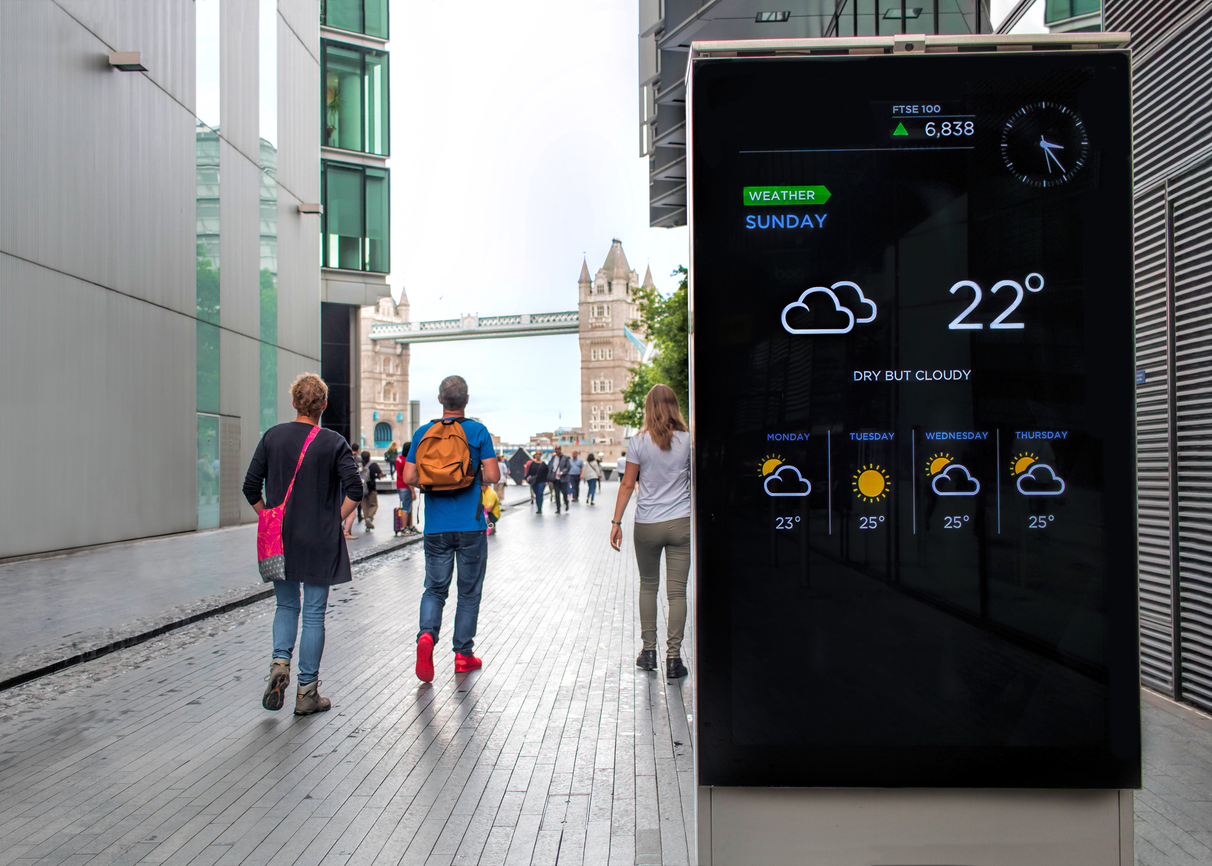
Digital Signage is the use of connected screens to show dynamic content such as messages, promotions, dashboards and live information both in workplaces and in public spaces, allowing businesses to replace static posters with dynamic screens, perfect for displaying a variety of content types.
This guide explains how Digital Signage works, where it adds value and why expert set-up matters for reliability and scale. Think of it as a secure publishing system for your buildings, with the screen acting as the final mile. You choose what appears, when it appears and on which display.
Done well, Digital Signage looks clean, stays on brand and actually gets noticed. Done badly, it turns into digital clutter. The difference comes from planning, technology fit, and having a simple day-to-day management system.
How Digital Signage Works
If you are asking how digital signage works, the short version is simple: content is created, the content management system schedules it, a media player receives it over the network, and a digital display shows it.
More specifically, you produce assets such as videos, images, HTML or live data feeds. Those are then uploaded to a cloud or on-premises CMS where you build playlists, assign layouts and choose which screens or locations should see them. A small media player or system-on-chip inside the screen pulls the right content, caches it, then renders it according to your schedule. The network provides bandwidth and device access, usually with VLANs, firewall rules and remote management in place.
Finally, the display presents the content at the correct brightness, resolution and orientation for the space. The same method scales from a single reception screen to hundreds of endpoints across multiple sites. Choosing the right CMS, player hardware and network approach is what separates a pilot from a dependable digital signage solution.
Where Signage Delivers Value For Organisations
Digital signage helps in three broad areas: communication, marketing and operations. The benefits that matter day-to-day include:
- Faster updates, change messages across sites in minutes instead of reprinting posters.
- Higher engagement, motion and colour attract attention more than static signs.
- Relevance by place and time, target content to a lobby, a canteen or a meeting zone.
- Live information, show feeds such as travel, KPIs, health and safety or occupancy.
- Brand consistency, centrally managed templates keep everything on message.
In offices, screens welcome visitors, act as a digital signpost, and share internal comms without email overload. Used well, signage reduces printed waste and keeps staff and visitors aligned with what is happening now. For customer-facing teams, it also frees people from having to swap over posters manually.
Display Types And Formats To Consider
Choosing the right screen often matters more than size.
Different digital signage solutions suit different spaces and viewing distances. Commercial LCD displays are the workhorse for thousands of reception areas, meeting zones and corridors, whereas LED walls use tiles to create large, bezel-free canvases for atria, auditoriums and control rooms, with excellent brightness and wide angles.
High-brightness outdoor displays combat sun glare in windows, and weather-rated housings can be installed to protect against rain and dust. Interactive kiosks and touch screens enable customers to self-serve and select products, as well as offering QR codes for a no-touch alternative.
Projection can work for large, darkened spaces or temporary event backdrops, although maintenance and ambient light need careful thought. Mounting, power, data and sightlines decide what is practical in each location, not simply a catalogue spec. If you need experienced fitters, our AV installation services can advise on brackets, cable routes and on-site constraints. Always choose commercial-grade panels over consumer TVs for duty cycle, control and safety.
Content And Management Essentials
Good content and the tools behind it can make or break a Digital Signage rollout. A capable CMS lets you schedule updates and information by time and date, location and audience, with simple templates allowing local teams to safely post without breaking the broad guidelines.
Remote management is also essential for multi-site estates so you can push updates, reboot players and check status without requiring a site visit. On screen, keep messages short, design for the viewing distance and use high contrast. Agree on a content calendar and assign ownership so screens do not drift into stale, repetitive messages. A little oversight keeps quality high and effort low over time.
Common Pitfalls Without Expert Input
Unfortunately, in our experience, many projects fail due to avoidable mistakes. Some of the most common mistakes include:
- Underpowered screens and low brightness make content unreadable in daylight.
- Poor mounting and sightlines, content sits too high, too low or behind glare.
- Network guesswork, no VLANs, locked-down ports, or Wi-Fi reliance cause outages.
- CMS mismatch, a tool without roles, templates or reports, creates chaos at scale.
- No support plan, devices drift out of date, and faults linger for weeks.
An expert perspective during design and commissioning avoids most of this. Each issue chips away at trust, and once staff stop looking at the screens, the value disappears. Preventing these problems is cheaper than fixing them after rollout. For larger deployments, structured AV commissioning services verify brightness, colours, network connectivity and failover before handover.
Why An AV Consultancy Makes A Difference
Simply put, a professional AV consultancy brings planning, technical depth and delivery ownership to digital signage projects.
Consultants start with purpose, audiences and spaces, then design the system around them so the technology serves the message, not the other way round. That means specifying the right displays and mounts, power and data, player hardware, network approach and a CMS that matches your governance model. Because digital signage touches IT, security and facilities, an AV consultancy coordinates with those teams to agree on VLANs, credentials, patching, device management and service windows.
During installation and commissioning, consultants verify brightness, colour accuracy, audio levels where relevant, failover behaviour and signage control so the system works as designed. After go-live, support plans keep players updated, screens calibrated and content teams trained, which protects uptime and keeps quality high. Consultancy reduces risk and lifetime cost while improving consistency across sites. If you want structured help with planning and design, explore our AV consultancy and design services, which explain how we approach requirements, specifications, and roadmaps.
Getting Started The Right Way
Begin with a simple pilot in one or two areas, define clear objectives and success measures, then scale once the process feels smooth. When you want an experienced partner to design, integrate and support across sites, speak with Concept AV.